How to Add a Custom Favicon to Your Squarespace Site
Ever look up at the tabs open in your web browser and wonder, "What is that little icon next to the page title?"
That, my friend, is a Favicon (short for "favorites icon") It’s one of those tiny details that is easily overlooked when you are DIY-ing your website. You’re so focused on the homepage layout and writing your copy that the little icon in the browser tab gets forgotten.
But here is the hard truth: The default Squarespace icon is a dead giveaway. If you don’t change it, your site displays the generic black Squarespace cube. Ready to swap that cube for something that is unmistakably you?

What makes a good Favicon?
A favicon is tiny—usually displayed at 16x16 pixels. This means you cannot just shrink your full primary logo down and hope for the best. If your logo has your full business name or intricate details, it will turn into a blurry smudge in the browser tab.

Here is what works best:
A Brand Mark: Do you have a submark, a monogram, or a specific icon you use? (e.g., the "G" in Grandview Collective, or a simple flower icon if you are a florist).
High Contrast: Make sure the shape is clear and bold.
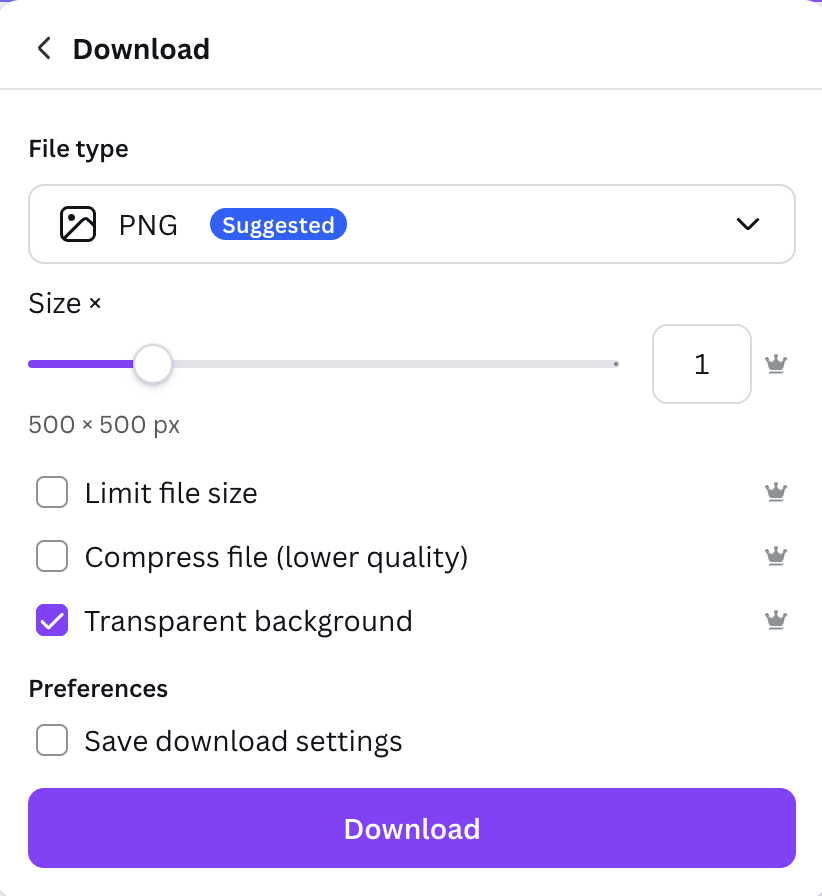
Transparent Background: Always save your file as a PNG with a transparent background. If you use a JPG, you’ll have a white box around your icon, which looks clunky (especially on browsers using "Dark Mode").
How to Add Your Favicon in Squarespace
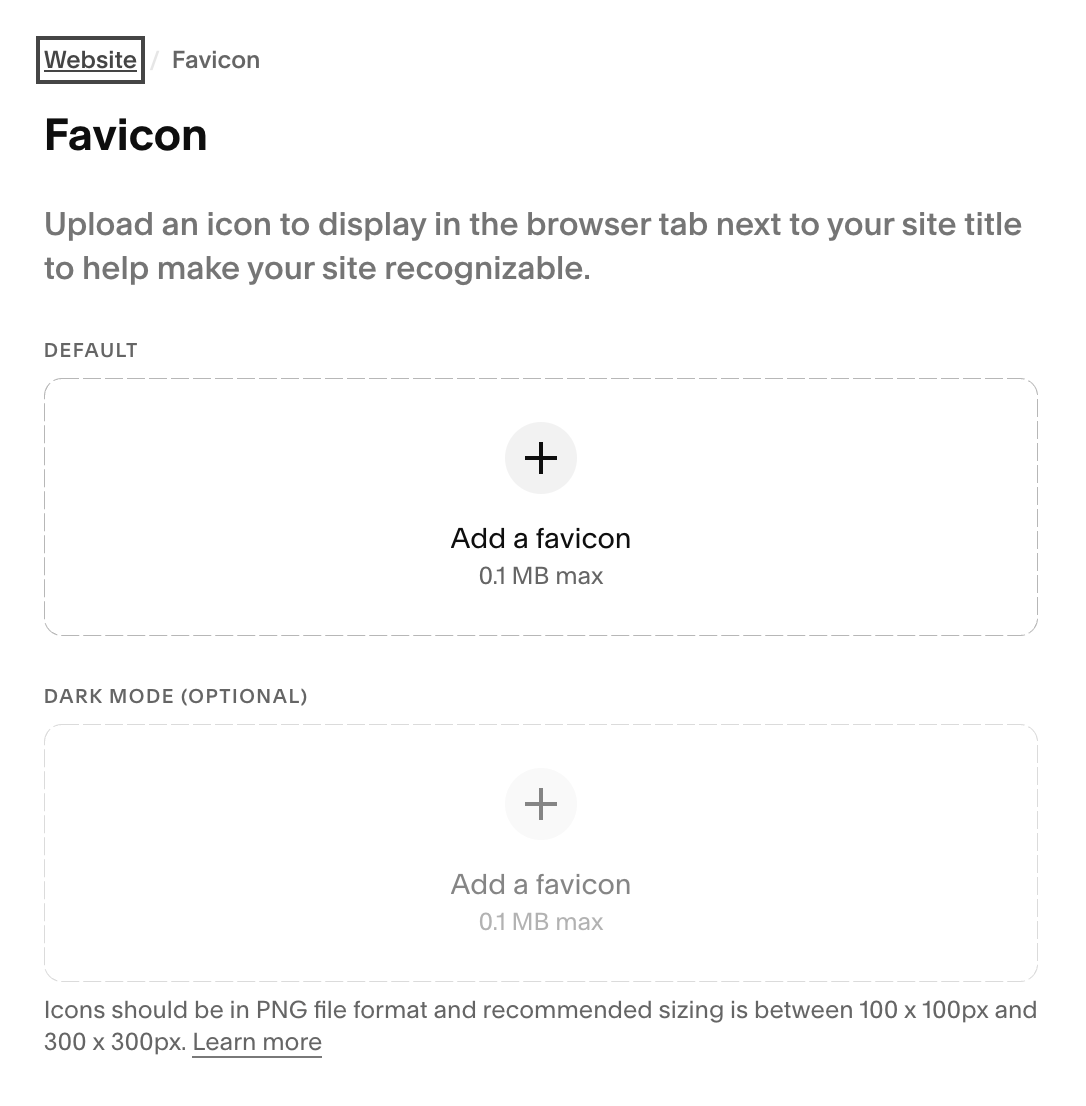
Go to Settings.
Click on Website.
Scroll down to select Favicon.
Once you are there, simply upload your file. You’ll see a preview of how it looks in a standard browser and in Dark Mode. If it looks good, hit Save, and you’re done!
(Note: It can sometimes take a few minutes or a browser refresh for the icon to update on your live site, so don't panic if you don't see it instantly!)
Don’t have a Favicon design yet?
If you don’t have a submark or brand icon yet, don’t overthink it. You can hop into Canva to create one in five minutes:
Open a new design (choose "Logo" or set custom dimensions to 500x500px).
Type the first initial of your business name in your brand font.
Make it big and centered.
Download as a PNG and check the "Transparent Background" box.
The Bottom Line
Great branding is built on consistency. That tiny icon might seem insignificant, but it’s a visual cue that helps users find your tab when they have 20 windows open, and it reinforces that your business is professional and polished.
Need help refining the rest of your site? If you’ve updated your favicon but the rest of your site still feels like a struggle, check out my Design Intensives. We can tackle your punch list, refine your visuals, and get your site launch-ready in just one week.